The Automated Balance Sheet for Family Lawyers
Balance Sheet + provides an efficient, easy and accurate way for family lawyers to capture the financial information of clients, enjoy property adjustment features, and generate an automated draft Property Order.
:quality(82))
Capture financial information
Our technology records in a balance sheet all:
Assets
Superannuation
Addbacks
Liabilities
Financial resources
The balance sheet will automatically calculate total values for each the client and other side, ensuring accuracy. Enjoy further automation with disputed calculations, which transparently provide the value difference between disputed positions.
Any negotiated values can be captured in the balance sheet for easy reference and practicality.
Key Features
NEW: Import financial items
Import balance sheet items directly from matter correspondence, Settify Intake, Ruffle, and AI Paralegal - Reducing manual data entry when information has already been collected elsewhere.
Adjust ownership
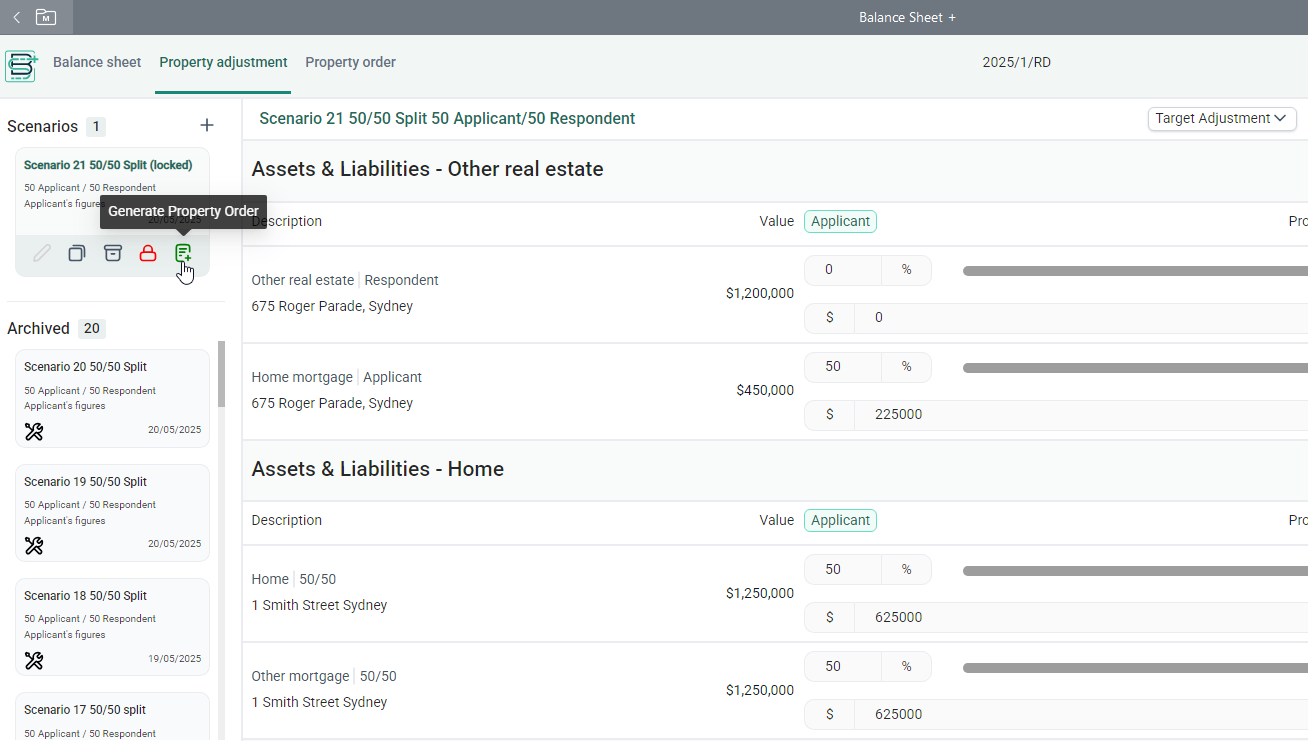
Adjust the ownership of all items and calculate cash adjustments to showcase a range of potential settlement outcomes for clients.
Create & compare scenarios
Create and compare multiple property adjustment scenarios based on a percentage split or cash adjustment amount.
NEW: Superannuation adjustment
New adjustment tools allows you to automatically equalise superannuation, apply custom percentage splits across all super items, and create scenarios using cash adjustment values instead of percentage targets.
Upload documents & create notes
Upload documents containing information relevant to the balance sheet, and create notes for your reference and for the other side
Work with ease
Work with ease knowing all auto-calculated settlement outcomes will be catalogued within the app for ongoing reference.
Link assets
Link assets with corresponding liabilities, and select items to be sold or discharged.
Drag & drop functionality
Re-order items using Drag and Drop functionality.
Auto populate Ownership details
Auto populate Ownership details in the generated balance sheet.
NEW: Export balance sheets to Excel
Balance sheets can now be exported to Excel, saved to matter correspondence, and downloaded as an Excel file (.xlsx) when shared via LawConnect.
Generate a draft Property Order
Generate a draft Property Order based on the information provided in Balance Sheet +. You can view all active Orders generated by Balance Sheet +, and add or remove Orders at any time.
How it works in LEAP
Start a new family law matter type or enable the Balance Sheet + app from the LEAP Marketplace
Once in a matter, click the Balance Sheet + icon in the ribbon
Add the financial information of your client and any information you may have relevant to the other side
Grant access to the other side to add, or further add, their client's financial information
Navigate to the Property Adjustment tab where you can create a range of financial outcome scenarios