Criminal Law
Record every NSW criminal charge accurately, without the retyping
:quality(70))
:quality(85))
Typing criminal charges out by hand is slow, and one wrong section reference can follow a matter all the way to court. Since July 2026, the Criminal Charges table has been available across all NSW criminal law matter types in LEAP, so you can record every charge laid, with its section, Act and offence description, in one consistent and readable layout. This article covers how the table works, how the AI fills it in for you, and where the charges flow through to your forms.
Disclaimer: The Judicial Commission of New South Wales is not affiliated and does not endorse LEAP Legal Software. Information and data sourced from the Judicial Commission of NSW. The official Lawcodes website is the authoritative source and should be checked for the latest information: https://lawcodes.judcom.nsw.gov.au/.
Quick takeaways
One code, all the detail. Enter a Law Part Code and LEAP fills in the section, Act and offence description from the Judicial Commission's Lawcodes database.
Straight to the source. The Judicial Commission icon opens that code's page on Lawcodes, where the penalty information sits.
The AI does the data entry. With a Court Attendance Notice or indictment saved to the matter, Populate from Charge Sheet enters the codes and the offence dates for you.
Charges flow into forms. Saved charges populate the NSW forms in LEAP that require them, including bail applications and notices of appeal.
How the Law Part Codes lookup works
Using the Law Part Codes database which is maintained by the Judicial Commission of NSW, LEAP Criminal Law has built a lookup system that will output the section, Act and offence description of an offence from the Law Part Codes database which is used by the Courts, NSW DPP and NSW Police. This ensures the charges are output in a consistent format and reduces errors from manually typing out and entering all the details of a criminal charge.
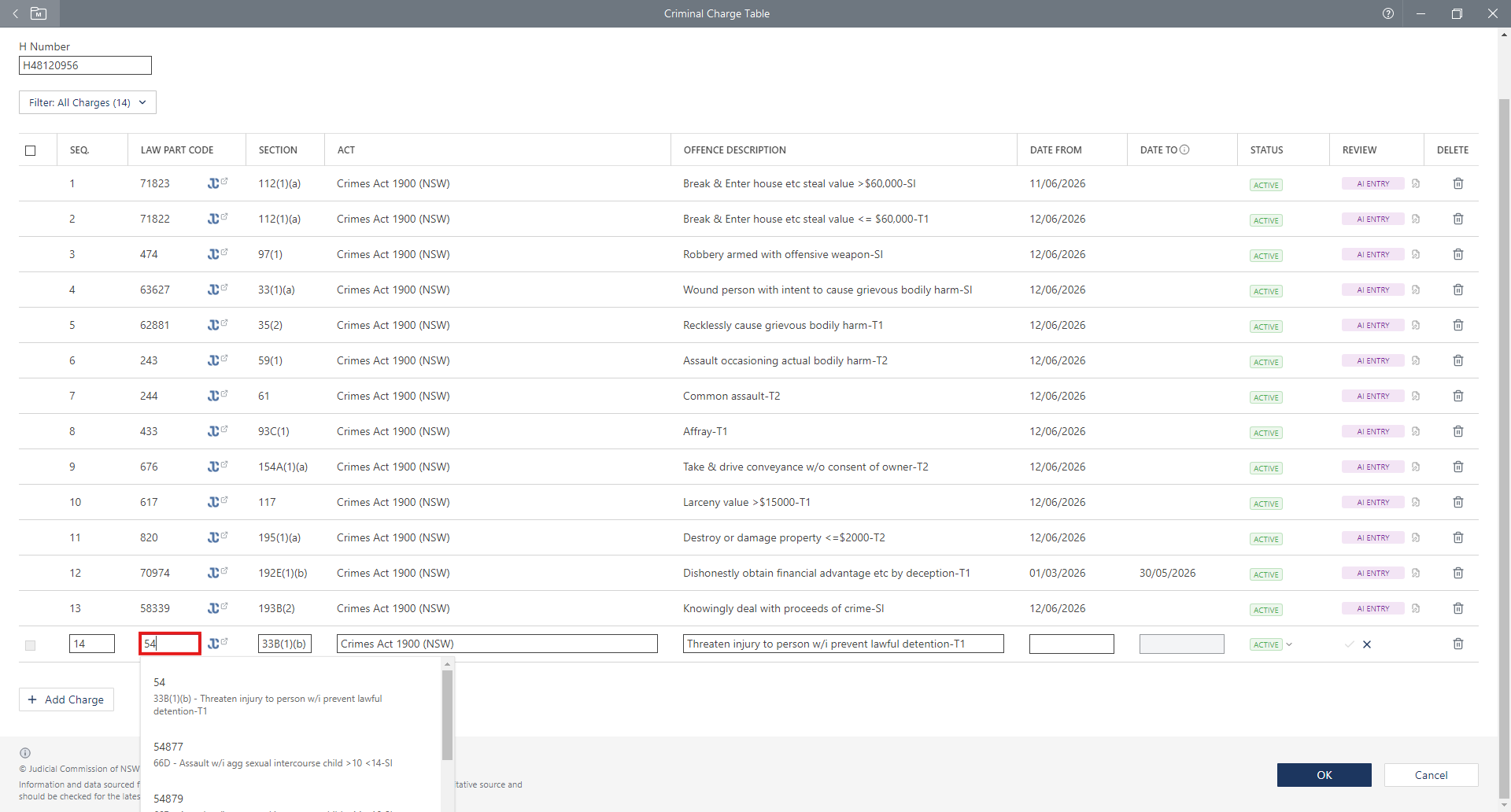 Image 1: Law Part Code field with the charge list open. Enter the Law Part Code number (found on the Court Attendance Notice or Indictment) into the Law Part Code field and select the associated charge which will then auto-fill with the section, Act and offence description.
You can also click the Judicial Commission icon next to the Law Part Code (in red) and be taken to that specific Law Part Code website which contains all the information you need to know about the charge including if it is a summary, table or indictable offence and most importantly the maximum penalties and standard non-parole periods for all jurisdictions.
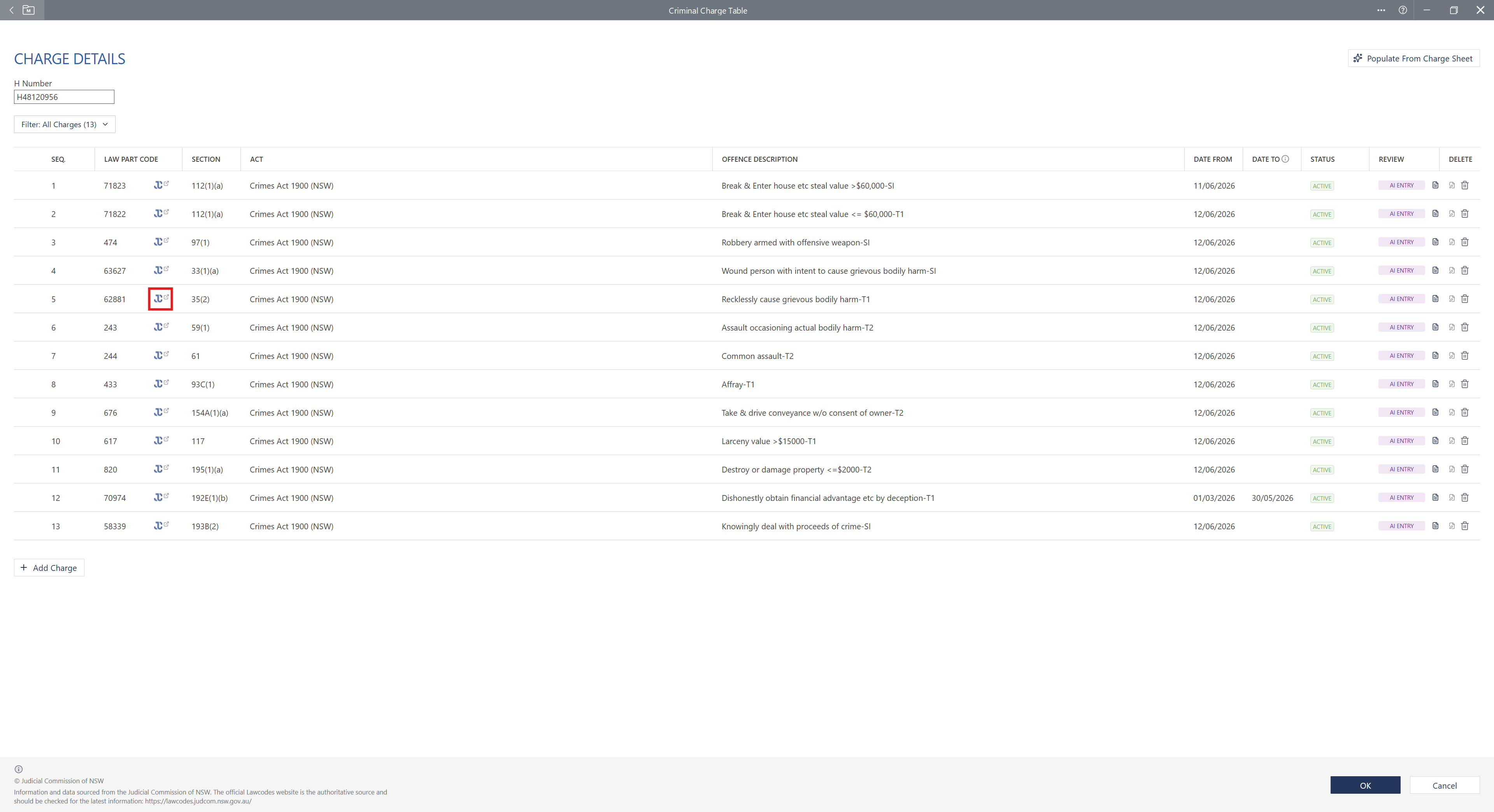 Image 2: Judicial Commission icon beside the Law Part Code.
Populate charges automatically from a Court Attendance Notice
What some users of Criminal Charges may not know is what the 'Populate from Charge Sheet' button (in red) does. This button removes the need for manual entry of the Law Part Code, so long as a user has saved into the matter a Court Attendance Notice or Indictment. AI will recognise that particular document and enter the H number, all the codes in sequence or count order and even enter the date/s of the alleged offences, reducing the need for users to manually enter the codes and date/s themselves and just needing to check its been entered correctly.
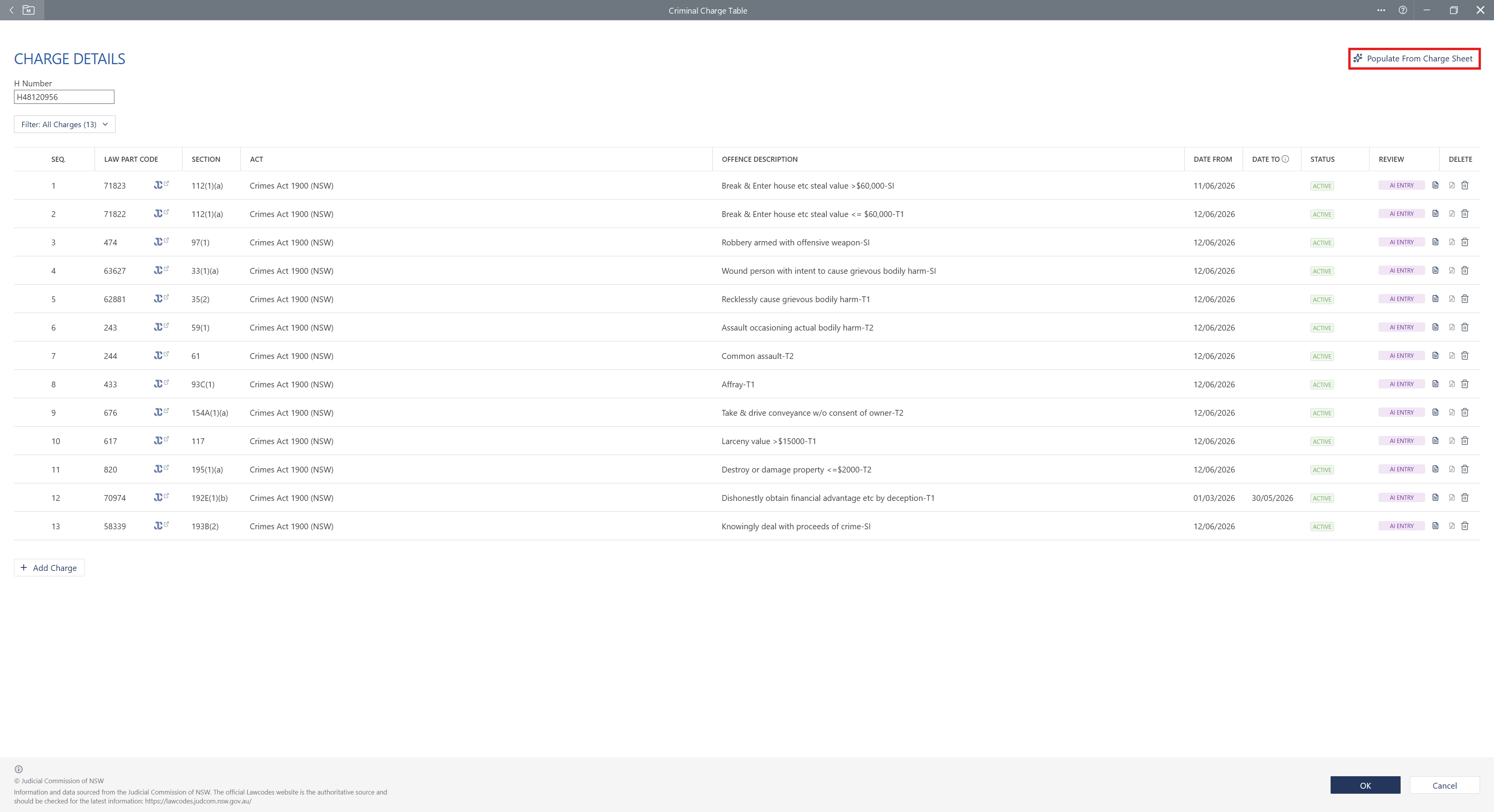 Image 3: The Populate from Charge Sheet button does the data entry for you, so there is no need to enter the Law Part Codes by hand.
Here's a quick video of how to use AI in the Criminal Charges table:
Charges that populate your NSW court forms
With the charges saved, they can be auto-populated onto forms within LEAP so users don't have to type them out or copy them across into forms which require the charges to be recorded such as bail applications or notices of appeal. We have updated a number of NSW forms to auto-populate wherever a NSW form requires charges to be entered.
Watch the video to see how it works:
Practical takeaways
Save the Court Attendance Notice or indictment first. The AI needs a document in the matter before Populate from Charge Sheet has anything to read.
Check what the AI entered. Read the codes and the offence dates back against the source document before you rely on them.
Use the Judicial Commission icon. It is faster than a general search when you need the penalty position on a charge.
Enter the charges once, early. Every form you generate afterwards is then already populated.
Frequently asked questions
What is a Law Part Code?
A Law Part Code is the unique identifier used in the NSW justice system for a specific criminal offence. The codes are maintained by the Judicial Commission of New South Wales in the Lawcodes database and are used by the courts, the prosecution and NSW Police, so a charge recorded against its code carries the same section, Act and offence description everywhere it appears.
Where do I find the Law Part Code for a charge?
The Law Part Code appears on the Court Attendance Notice or the indictment. You can also search the offence on the Judicial Commission's Lawcodes website to find the code.
Which LEAP matter types include the Criminal Charges table?
The Criminal Charges table is available across all NSW criminal law matter types in LEAP. It was released in July 2026.
Can LEAP enter the charges for me?
Yes. If the Court Attendance Notice or indictment is saved to the matter, the Populate from Charge Sheet button reads the document and enters the codes in count order along with the dates of the alleged offences. Check the entries against the source document before you rely on them.
Do the charges carry across to court forms?
Yes. Once the charges are saved in the Criminal Charges table they populate automatically on the NSW forms in LEAP that require charges, including bail applications and notices of appeal.
Is LEAP affiliated with the Judicial Commission of New South Wales?
No. LEAP Legal Software is not affiliated with the Judicial Commission of New South Wales and the Judicial Commission does not endorse LEAP. The Lawcodes website remains the authoritative source and should be checked for the latest information.
About the writer
:quality(85))
Related Articles
:quality(82))
The NSW Court of Criminal Appeal revoked the guideline judgement of R v Whyte read what they've replaced it with.
:quality(82))
NSW Caselaw AI summaries within hours of publication. Complimentary, plain-English summaries of more than 18,800 NSW criminal decisions, searchable by court and offence type and updated every day.
:quality(82))
MRRC is now the 24-hour metropolitan intake hub and Parklea is back in public hands. Here's what changed across NSW correctional centres on 1 October 2026.
:quality(82))
Recording a private conversation without consent is generally an offence. What the High Court held in Potter v The King about exceptions.
Keep up to date with LEAP Criminal Law
See the latest products created by the LEAP Criminal Law team.